
Latest Version
Bill Kendrick, et al.
Education
Linux
Free
org.tuxpaint.Tuxpaint
Report a Problem
More About Tux Paint
When you open the Tux Paint drawing program for children, you are immediately greeted by a friendly penguin mascot and an inviting blank canvas. Designed specifically for kids aged 3 to 12, this software turns digital art into an engaging, multi-sensory adventure. By combining whimsical sound effects with intuitive, easy-to-navigate controls, it removes the technical barriers often associated with graphic design, allowing young minds to focus entirely on creative expression.
Interactive Art Tools in the Tux Paint Drawing Program for Children
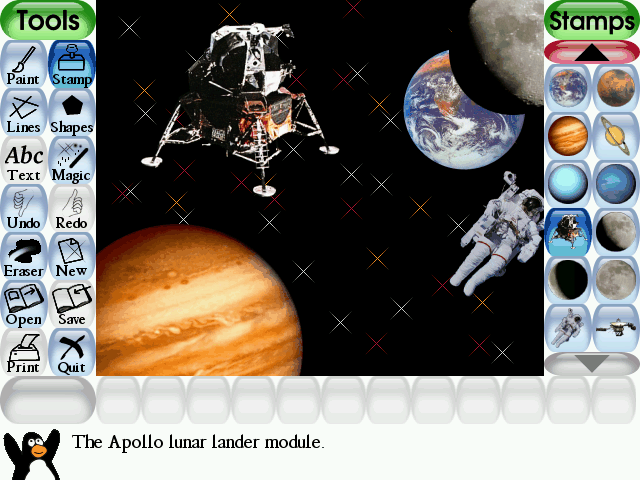
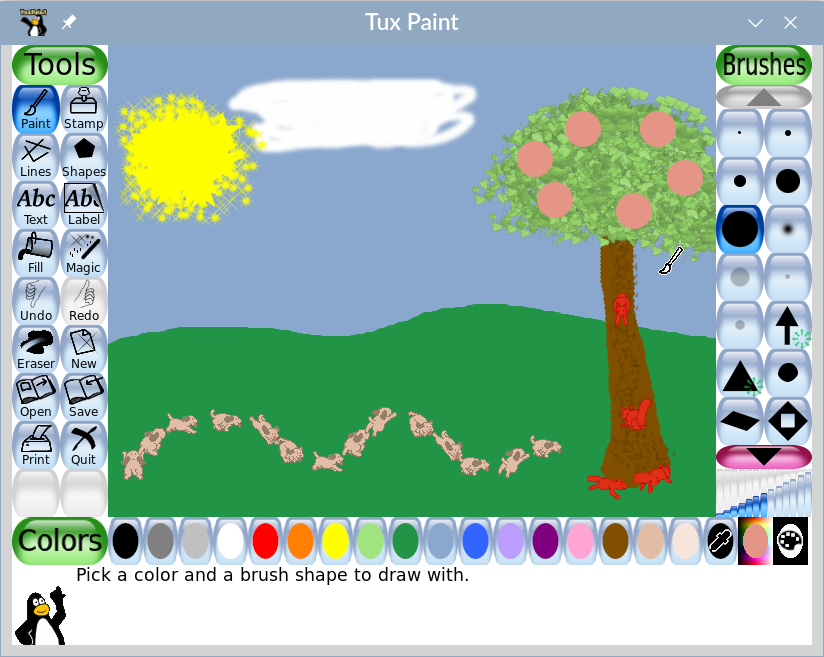
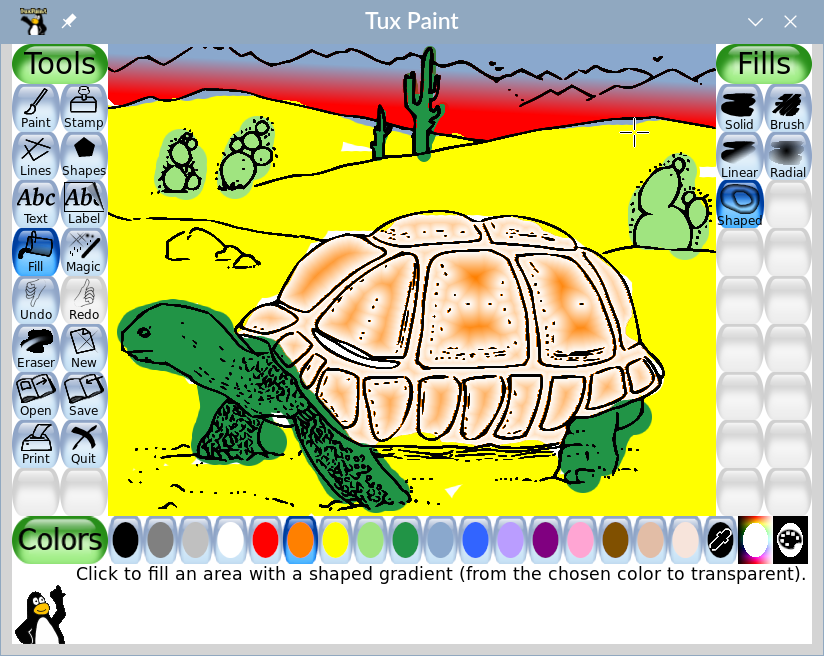
Unlike standard paint applications, this educational software is structured around the developmental needs of young learners. The interface is clean and highly visual, ensuring that even children who cannot yet read can comfortably navigate the system. Here is a look at what makes the creative workspace so engaging:
- Guided Creativity: Tux, the friendly cartoon penguin, sits at the bottom of the screen to offer helpful tips, encouragement, and guidance as children explore the tools.
- Audio Feedback: Every brush, stamp, and tool trigger plays a unique sound effect, adding an extra layer of sensory engagement to the drawing process.
- Diverse Drawing Utilities: From simple paintbrushes to complex shape generators and special magic effects, kids have access to a rich palette of digital tools to bring their imagination to life.
A Trusted Educational Resource for Classrooms
The Tux Paint drawing program for children is not just a digital toy; it is a highly regarded educational asset. Schools worldwide integrate this software into their computer literacy curricula. It serves as an excellent introductory tool for teaching basic mouse and keyboard coordination, spatial awareness, and digital design principles in a safe, ad-free environment.
Who is Tux Paint For?
This platform is ideal for parents, teachers, and educators seeking a structured yet free-form artistic outlet for kids. Whether used for free play at home or as a structured computer literacy activity in elementary classrooms, it provides a secure and constructive digital playground.
Get the Official Software
To try this award-winning educational tool with your children or students, you can find the application on its official hosting platform. Visit the Flathub store page to access the official release and start your child's digital art journey today.
Rate the App
User Reviews










Popular Apps










Editor's Choice